
General settings
Admin → General holds instance-wide settings and the live server-tunables editor.
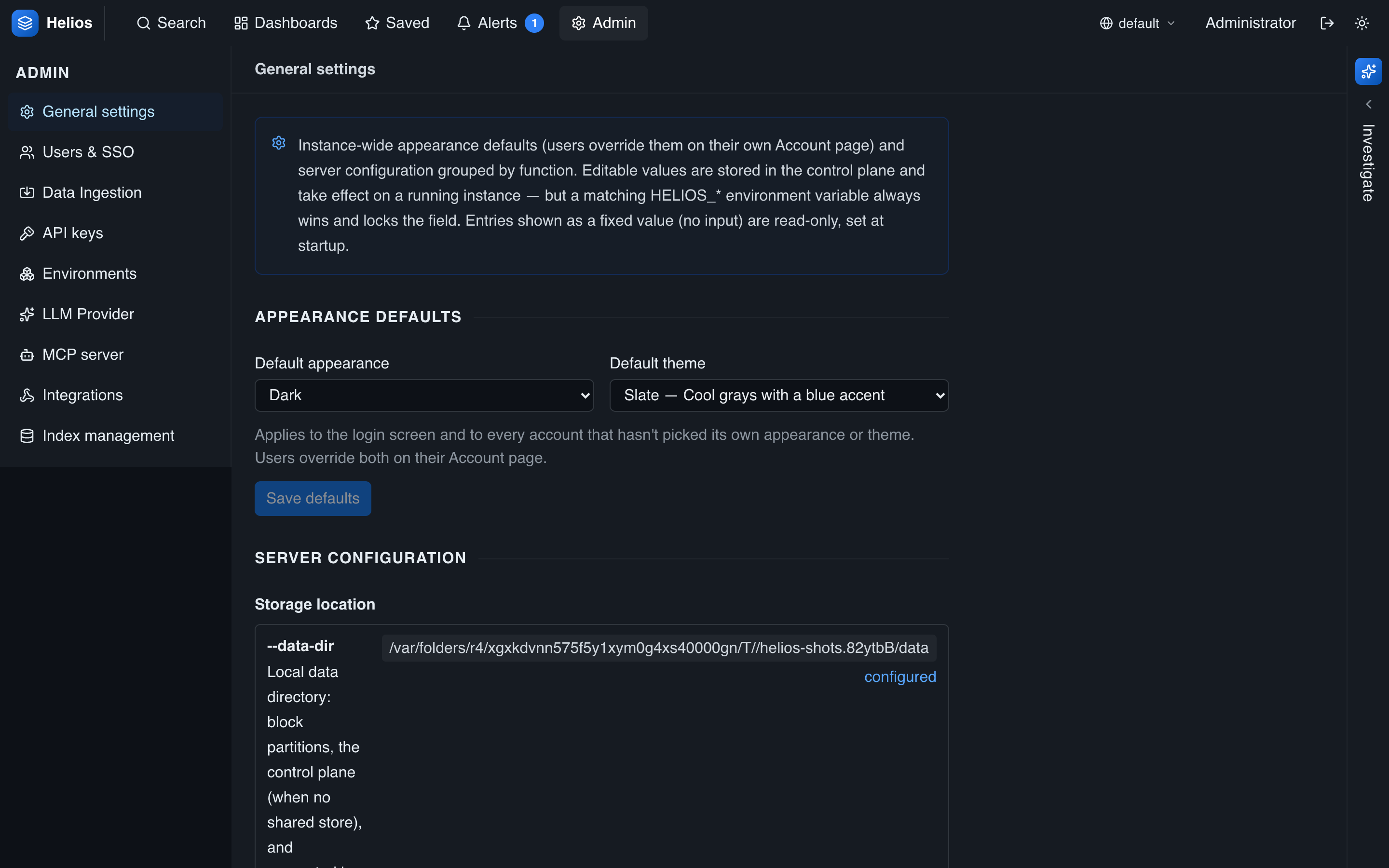
Appearance defaults
Set the instance default light/dark mode and color palette. These apply to the login screen and to new accounts; each user can override them on their Account page, and their choice wins.
Server tunables
The tunables editor exposes the live-tunable knobs (compaction, ingest flush, query cache, aggregation budget, session lifetime, retention sweep, …). For each knob it shows:
- the effective value,
- the configured (control-plane) value, and
- any environment-variable override that is locking the field.
Editing a knob applies within seconds, with no restart — except those flagged restart-required (notably query threads). A knob whose HELIOS_* env var is set is read-only here, because the env var always wins. See Performance tuning for what to change and why.
Retention default
Set the global default retention in days here (unless pinned by HELIOS_RETENTION_DEFAULT_DAYS). Per-environment overrides live under Admin → Environments.
Runtime configuration
A read-only view shows the startup-fixed configuration — the data directory and shared store, control-plane encryption status and key-file locations, the JWT secret location, and the active crypto provider (standard AWS-LC or AWS-LC FIPS 140-3 (active)). It's the fastest way to confirm what a node actually booted with, including whether it's a FIPS build.
Where settings live
Everything here is stored in the encrypted control plane and, with a shared store, shared across the cluster — so you configure once, not per node. Precedence is always env var > control setting > default (configuration model).