
Security hardening
This page consolidates the security-relevant controls into one operator checklist, with links to the detailed pages. HeliosLogs binds to loopback and speaks plain HTTP by default — turn on TLS and review what you expose before putting it on a network.
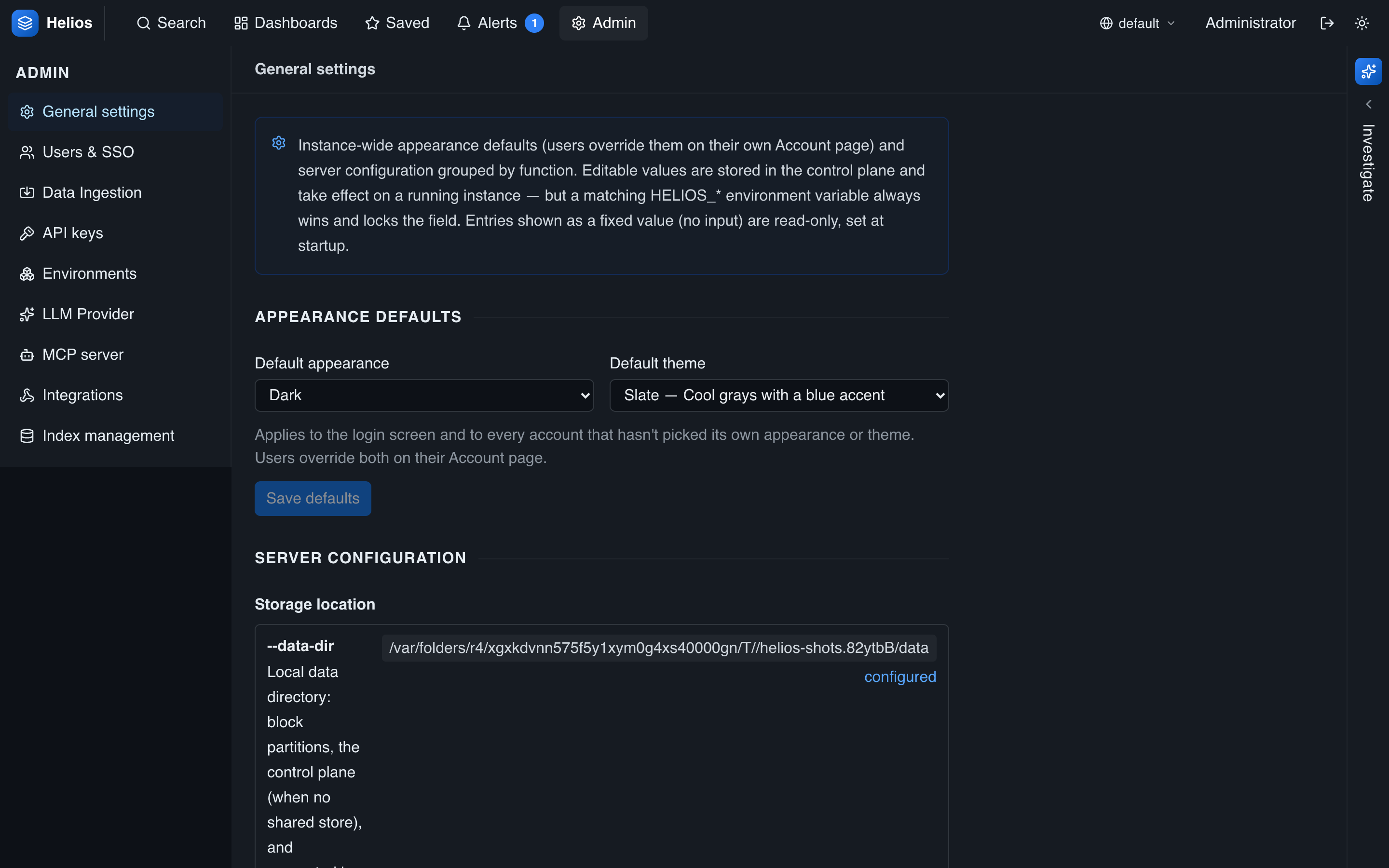
Many of the hardening knobs below — session lifetime, retention, and the runtime/FIPS status — live in Admin → General:
Authorization (least privilege)
- Scope standard users with the RBAC allowlist instead of granting full access.
- Issue standard-scoped (not admin) API keys for integrations, with an expiry.
- Scope the MCP server with an env/index allowlist and a tool allowlist, and require an MCP-scoped API key (one per client, so calls are attributable).
Ingestion
- Turn on require-auth and issue scoped ingest tokens so only authorized shippers can write, each pinned to an env/index.
Encryption & secrets
- Control-plane data is encrypted at rest (AES-256-GCM), on by default.
- Back up the control-plane key and JWT secret, store them outside
--data-dir, and (for a cluster) make them identical on every node. Losing the control key = losing the control plane. See Secrets & encryption. - For regulated environments, run the FIPS 140-3 build and confirm
AWS-LC FIPS 140-3 (active)in the runtime-config view.
Authentication & sessions
- Set a strong admin password (or bootstrap one with
HELIOS_ADMIN_PASSWORD). - Consider a shorter session lifetime (
HELIOS_AUTH_TOKEN_TTL_HOURS) than the 7-day default. - Use SAML SSO for centralized identity; keep an admin password as break-glass.
- Remember that changing a password revokes that user's sessions immediately. See Authentication.
Network exposure
- Serve over TLS. HeliosLogs terminates HTTPS natively — give it a certificate + key and an
--ssl-port(see below). A TLS-terminating reverse proxy is an alternative, not a requirement. - It binds
127.0.0.1by default; only use--host 0.0.0.0once TLS is on (or behind a proxy / trusted network). See Running HeliosLogs. - The syslog listener and any exposed ingest endpoints are separate attack surfaces — restrict them at the network layer.
Transport security (TLS)
Point --ssl-port at a port and hand HeliosLogs a PEM certificate chain and private key:
bash
helioslogs serve \
  --host 0.0.0.0 \
  --port 7300 \
  --ssl-port 443 \
  --tls-cert /etc/helioslogs/tls/cert.pem \
  --tls-key /etc/helioslogs/tls/key.pem \
  --data-dir /var/lib/helioslogs
The same options are available as environment variables: HELIOS_SSL_PORT, HELIOS_TLS_CERT, HELIOS_TLS_KEY.
- HTTPS is served alongside the plaintext
--port. Set--port 0to serve HTTPS only. The listener negotiates HTTP/2 or HTTP/1.1 via ALPN. - Binding a privileged port such as
443as a non-root user needs theCAP_NET_BIND_SERVICEcapability (e.g.AmbientCapabilities=CAP_NET_BIND_SERVICEin the systemd unit), or run behind something that holds the low port. - Use a certificate from your CA or Let's Encrypt. A self-signed cert is fine for an encrypted origin behind a proxy/CDN that trusts it (e.g. Cloudflare SSL mode "Full").
Audit & monitoring
- Use self-observability (
_helioshttp,_helioslogs,_heliosmcp) to watch access patterns, errors, and MCP activity — and alert on them.
Hardening checklist
- [ ] TLS enabled — native
--ssl-portwith a cert/key, or a TLS-terminating proxy; not bound to0.0.0.0in plaintext on an untrusted network. - [ ] Strong admin credentials; SSO configured if applicable; sensible token TTL.
- [ ] Standard users scoped with RBAC allowlists.
- [ ] Ingest auth required; shippers using scoped tokens.
- [ ] MCP scoped (MCP-scoped API key + env/index/tool allowlists) or disabled.
- [ ] API keys least-privilege, expiring, rotated.
- [ ] Control key + JWT secret backed up, outside the data dir, shared across nodes.
- [ ] Retention set so data ages out; FIPS build where required.