
Syslog
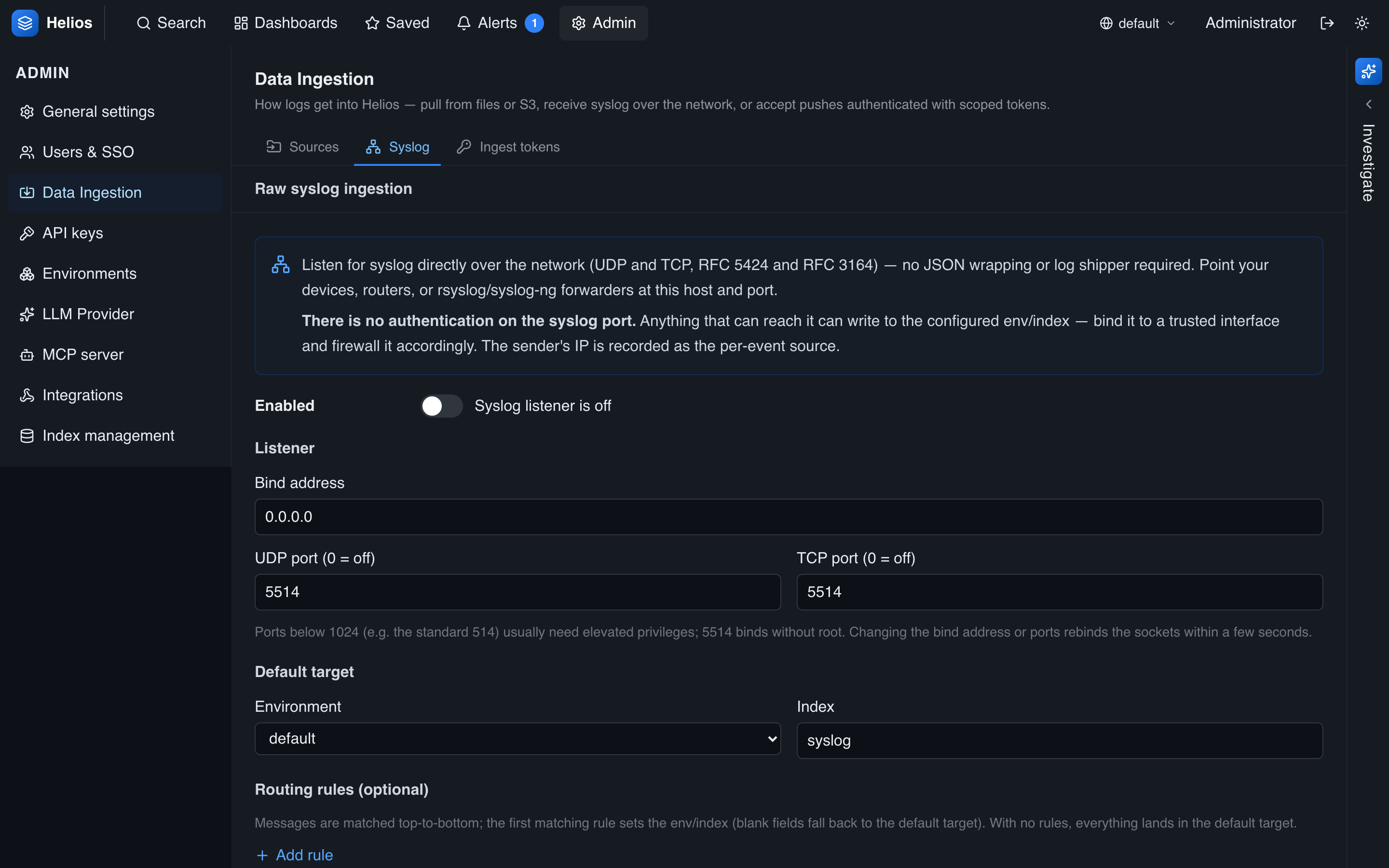
HeliosLogs can receive syslog directly over the network — no JSON wrapping or log shipper required. Point network devices, appliances, or an rsyslog/syslog-ng forwarder at it. Configure the listener under Admin → Data Ingestion → Syslog.
No authentication on the syslog port
Unlike the HTTP endpoints, the syslog listener has no token auth — anything that can reach the port can write to the configured env/index. Bind it to a trusted interface and firewall it accordingly. The sender's IP is recorded as the per-event source.
The listener
When enabled, HeliosLogs binds a UDP and a TCP listener. TCP uses RFC 6587 framing (octet-counting, or newline-delimited), so long messages aren't truncated; a single UDP datagram may carry several newline-separated lines.
| Setting | Default | Meaning |
|---|---|---|
| Enabled | off | Whether the listener binds at all. |
| Bind address | 0.0.0.0 | Interface to bind. |
| UDP port | 5514 | UDP listen port (0 = off). |
| TCP port | 5514 | TCP listen port (0 = off). |
| Default environment | default | Where unmatched messages land. |
| Default index | syslog | Index for unmatched messages. |
| Routing rules | — | Ordered rules (below). |
Ports below 1024 (e.g. the standard 514) usually need elevated privileges; 5514 binds without root. Changing the bind address or ports rebinds the sockets within a few seconds.
Port override per host
The --syslog-port flag (or HELIOS_SYSLOG_PORT) overrides the control-plane UDP and TCP ports — handy when running several instances on one host. Set it to 0 to disable the listener.
Parsed fields
Both RFC 5424 and RFC 3164 are parsed. HeliosLogs decomposes the priority into facility and severity and extracts the standard fields, all queryable like any other:
| Field | Source |
|---|---|
timestamp | The message timestamp. |
message | The message body. |
host | Hostname. |
appname | APP-NAME (5424) or tag (3164). |
procid | PROCID (5424) or PID (3164). |
facility | Priority ÷ 8. |
severity | Priority mod 8. |
Anything that doesn't parse as syslog is preserved as a message.
Routing rules
Routes decide which (env, index) a message lands in. Each rule matches one field with one operator; the first matching rule wins, otherwise the default env/index applies. A rule with a blank env or index inherits the default.
Matchable fields: host, appname, facility, severity, message, source_ip.
| Operator | Match |
|---|---|
equals | Case-insensitive exact match. |
contains | Case-insensitive substring. |
regex | Regular expression (an invalid regex is skipped, not fatal). |
For example:
appnameequalssshd→ indexsshseverityregex^[0-3]$(emergency…error) → envprod, indexurgent- anything else → the default env/index
Pointing a sender at HeliosLogs
rsyslog, forwarding all messages over TCP:
*.* @@helios.example.com:5514(Use a single @ for UDP.) Then add routes in the admin UI to split traffic into the right indexes.