
Monitors
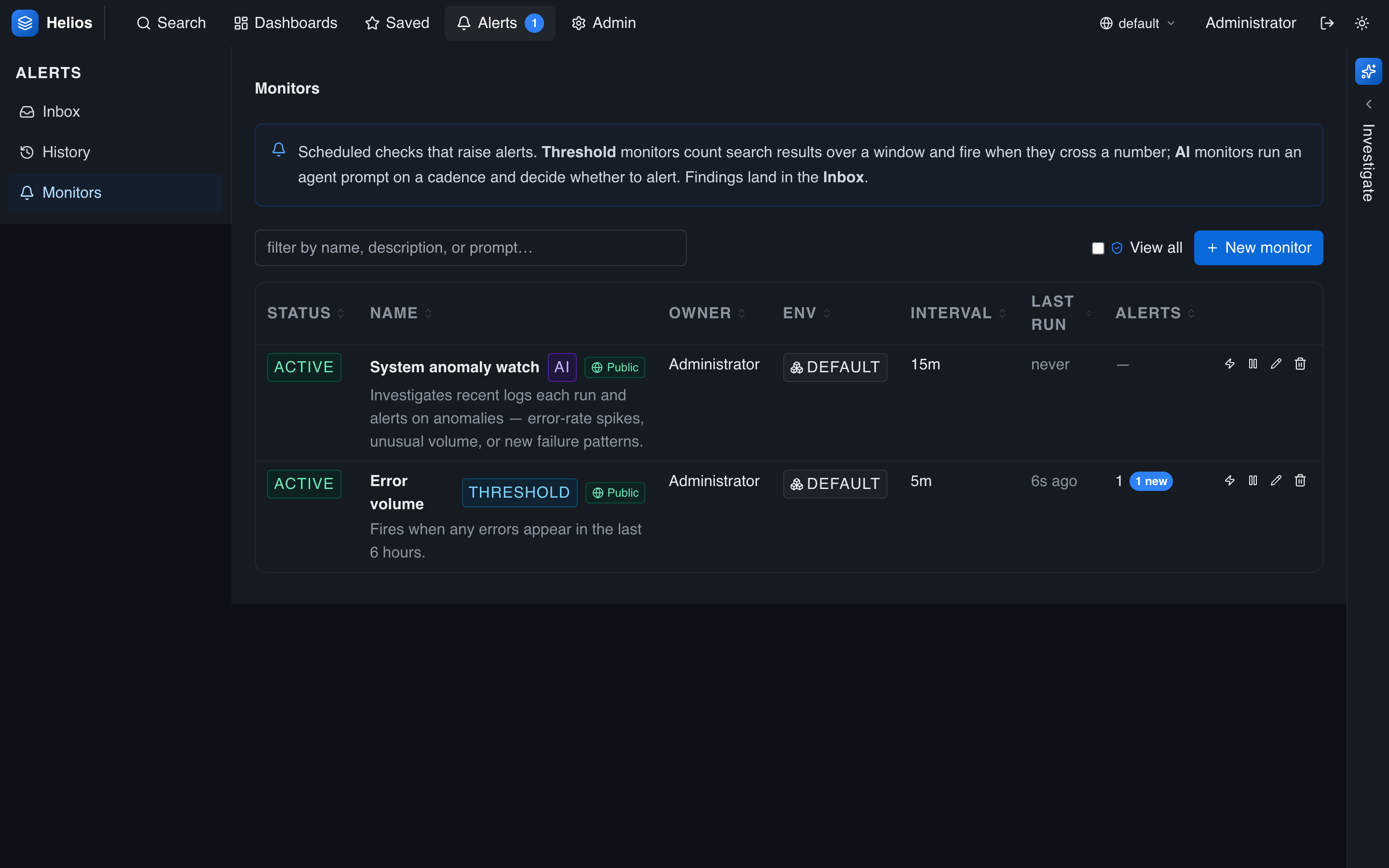
A monitor is a saved rule that HeliosLogs evaluates on a schedule and raises an alert when its condition is met. HeliosLogs has two kinds: threshold monitors (a count crossing a number) and AI monitors (an agent investigating a prompt).
Manage monitors under Alerts → Monitors.
Threshold monitors
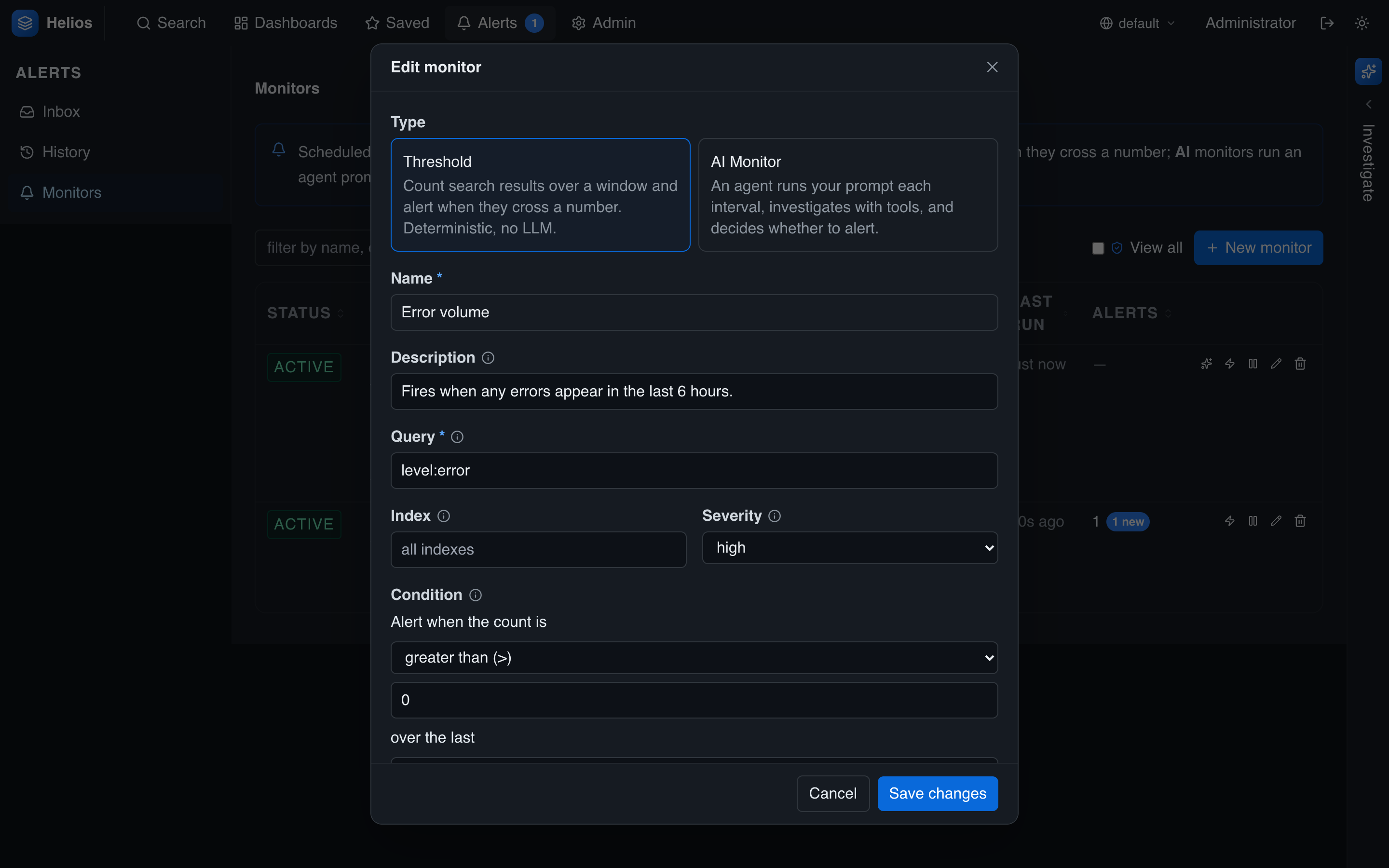
A threshold monitor counts the events matching a query over a window and compares that count to a number.
| Setting | Notes |
|---|---|
| Query | The search expression the count is taken over (pipes and index: work here). |
| Index | An optional extra index filter. |
| Window | The lookback the count spans, ending at evaluation time. Default 15 minutes; minimum 1 minute. |
| Comparison | >, >=, <, <=, =, ≠. |
| Threshold | The number the count is compared against. |
| Severity | low, medium (default), or high — stamped on the alert. |
Edge-triggered
A threshold monitor fires when the condition flips from not breaching to breaching — not on every tick while it stays breached. You get one alert when the problem starts, not one every interval.
Example: query level:error service:checkout, window 5 minutes, comparison >, threshold 50, severity high → "alert when checkout logs more than 50 errors in 5 minutes."
AI monitors
An AI monitor hands a natural-language prompt to the agent each tick. The agent searches, aggregates, and reasons over your logs, and raises an alert if it concludes the condition is met. Each run leaves a conversation trace you can open from the alert.
Example prompt: "Alert me if the error rate for any service has spiked materially compared to the previous hour, and say which service."
AI monitors are more flexible than thresholds but cost LLM tokens each run and require an LLM provider to be configured.
Common settings
Both kinds share:
| Setting | Notes |
|---|---|
| Name / description | Description supports Markdown — link a runbook. |
| Interval | How often it runs. Default 30 minutes; minimum 5 minutes. |
| Environment | The env the monitor's queries run against (stamped at creation). |
| Notify override | An optional per-monitor webhook URL and format, replacing the global target for this monitor's alerts. |
| Enabled | Turn it on or off without deleting it. |
| Visibility | Public (default) — raised alerts are visible and acknowledgeable by everyone; or owner-only. |
Creating monitors
Create a monitor from Alerts → Monitors → New, or let the agent draft one during an investigation — it proposes a monitor you can review, edit, and accept. You can also test-run a monitor to see what it would do right now.
Scheduling (operator note)
A background scheduler evaluates due monitors. In a cluster, each run takes a short-lived lease so a monitor runs on only one node at a time; a run left stuck (a crash) is reclaimed after a few minutes. Monitors are not env-scoped in the UI — they keep an env run-target but are listed across environments.