
Getting data in
The fastest way to get logs into HeliosLogs is to POST newline-delimited JSON (NDJSON) to /api/ingest. That's the recommended path — point your shipper (Fluent Bit, Vector, an app logger, or plain curl) at it and you're done. Everything else on this page is for when NDJSON isn't an option.
Send your first events
curl -X POST 'http://localhost:7300/api/ingest?index=app' \
  --data-binary @- <<'JSON'
{"timestamp":"2026-06-14T18:00:00Z","level":"INFO","service":"api","message":"started"}
{"timestamp":"2026-06-14T18:00:01Z","level":"ERROR","service":"api","message":"db timeout","status":504}
JSON
# {"ingested":2,"errors":0,"partitions":["app/2026-06-14"],"write_errors":[],"throttled":false}
One event per line. You don't declare any fields first — level, service, status are immediately queryable. Set the target with query params: index (the storage partition, default default), env (the environment, default default), and an optional source tag.
Next: configure a real shipper → Shippers.
Choosing a method
| Method | Use it for | Guide |
|---|---|---|
Native NDJSON (POST /api/ingest) | Recommended. Structured JSON logs from any shipper or app. | Shippers |
| Syslog | Network devices, appliances, rsyslog / syslog-ng. | Syslog |
| Pull sources | Have HeliosLogs tail log files on disk on a schedule. | Pull sources |
| Compatibility APIs | Reuse an existing Elasticsearch / Splunk HEC / Loki / OTLP pipeline unchanged. | Compatibility APIs |
If you're starting fresh, use Native NDJSON. Only reach for the compatibility APIs when you already have a shipper emitting one of those protocols and don't want to reconfigure it.
Administering ingestion
Everything about ingestion is configured under Admin → Data Ingestion, which opens on the Sources tab — the starting point for getting data in:
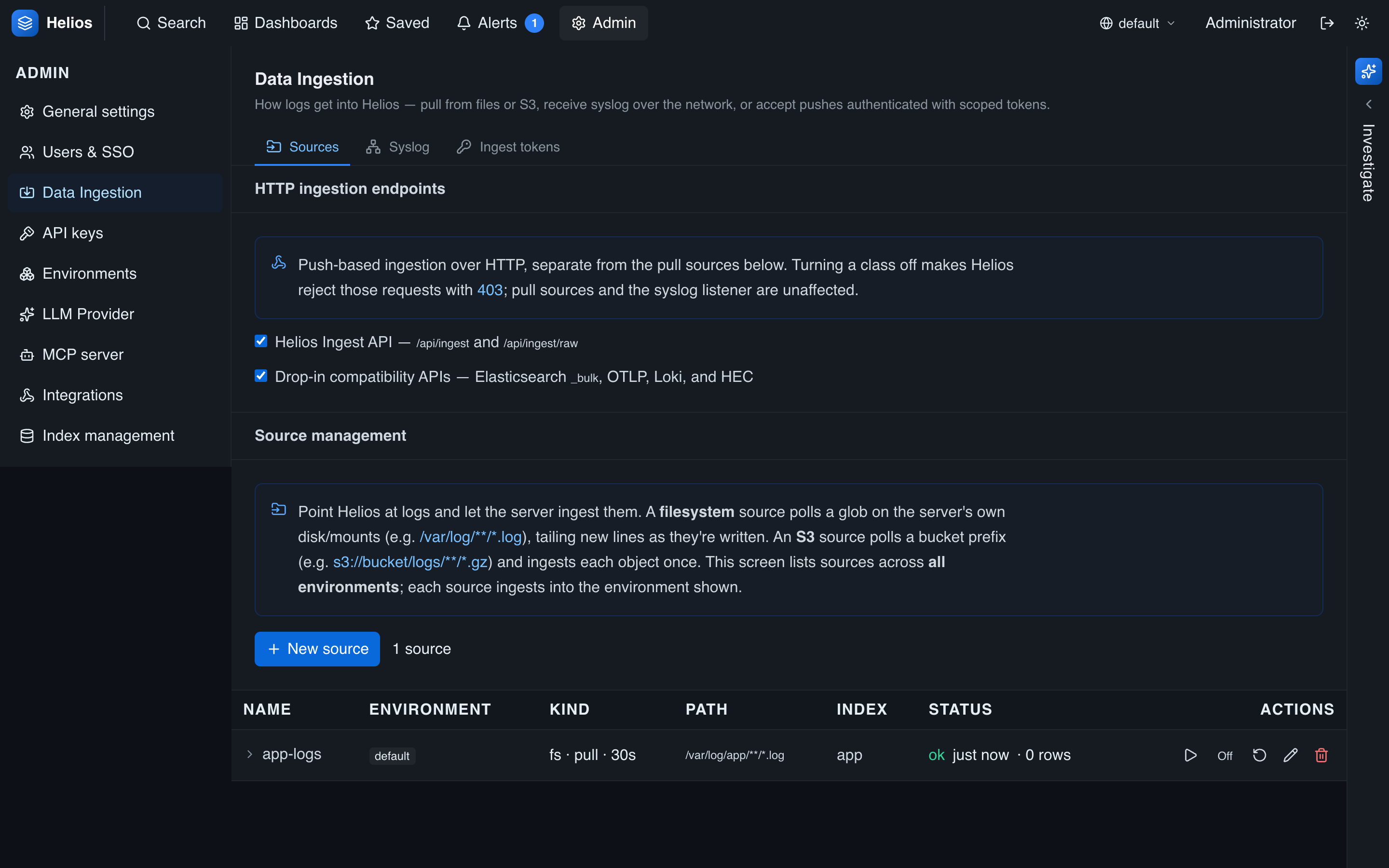
From here you can:
- Enable or disable the HTTP endpoints — the HeliosLogs Ingest API (
/api/ingest) and the compatibility APIs (Elasticsearch / OTLP / Loki / HEC). A disabled class rejects requests with403; pull sources and syslog are unaffected. - Add pull sources that tail files on disk.
- Switch to the Syslog tab to configure the syslog listener.
- Switch to the Tokens tab to require authentication and issue scoped ingest tokens for your shippers.
Before you expose HeliosLogs
Turn on require auth and give each shipper a scoped token. See Ingest tokens and Security hardening.
How ingestion behaves
A few things that apply to every method:
- Routing by time — events land in a
(env, index, day)partition by their own timestamp, so backfilled data goes to the right day. See Log formats & field mapping. - Not instantly searchable — a successful
/api/ingestmeans the events are durably accepted, not yet queryable. They're held in an in-memory write buffer and become searchable once it flushes into an immutable block — typically within ~5 seconds, or sooner once a batch reaches 50,000 rows. So an ingest immediately followed by a search can legitimately return zero hits; wait a few seconds. Tune the window with theblock_flush_secs(default 5) andblock_flush_rows(default 50,000) tunables under Admin → Tunables → Storage engine, or theHELIOS_BLOCK_FLUSH_SECS/HELIOS_BLOCK_FLUSH_ROWSenvironment variables — lowerblock_flush_secsfor fresher results at the cost of more, smaller blocks (more compaction work). - Response —
/api/ingestreturns{ ingested, errors, partitions, throttled }.errorscounts unparseable lines and rows rejected by a token's index allowlist. - Backpressure —
/api/ingestblocks until the writer has room (lossless bulk loads); the compatibility shims return 429 so their shippers retry. Tune the queue in Performance tuning.